Skip to content

Website builder

A website built from your music

Connect your accounts and a real site is drafted from your releases, photos, and bio. You make music, we do the rest.

/builder
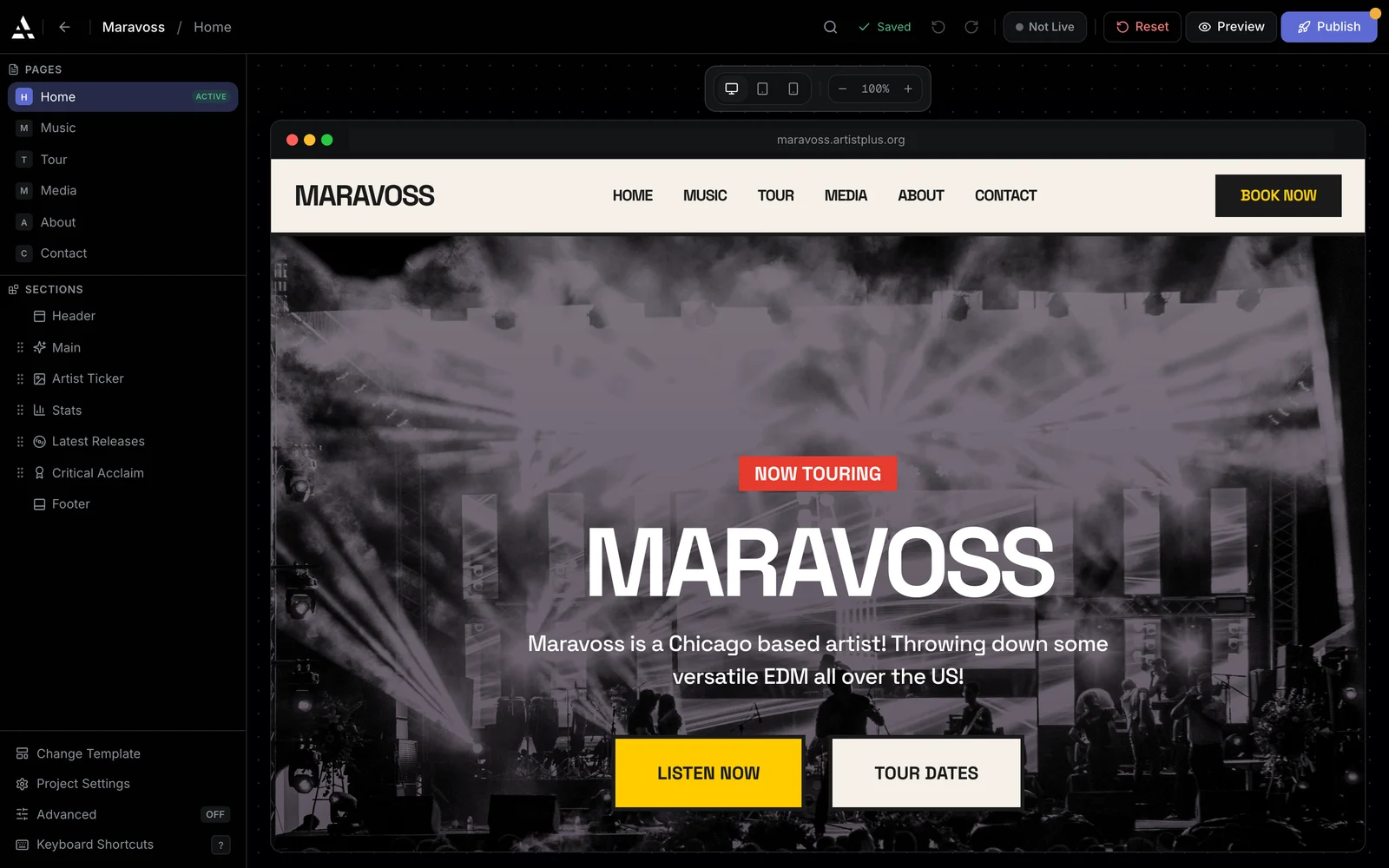
The Artistplus website editor: site pages and sections listed on the left, the artist's home page live on the canvas, and a Publish button.

From link to live

Four steps between you and a real website

The builder does the assembling. You do the deciding.

Paste a link, get a draft

This is the part no template can do. Connect Spotify or SoundCloud and Artistplus pulls your releases, artwork, and bio into a finished draft, so your first edit is a reaction, not a blank page.

  • Releases, artwork, and bio imported from the accounts you already have
  • Every page drafted before you touch the editor
  • Review the draft, adjust what you want, publish when it looks right
Edit sections, not source code

Your pages are built from blocks: hero, about, music, tour dates, gallery, contact. Pick a section on the canvas, its settings open beside it, and the page updates as you type.

  • Click any section and edit it in place
  • Real music blocks, from tour dates to a working contact form
  • Catalog and tour blocks fill themselves from your dashboard data
/builder
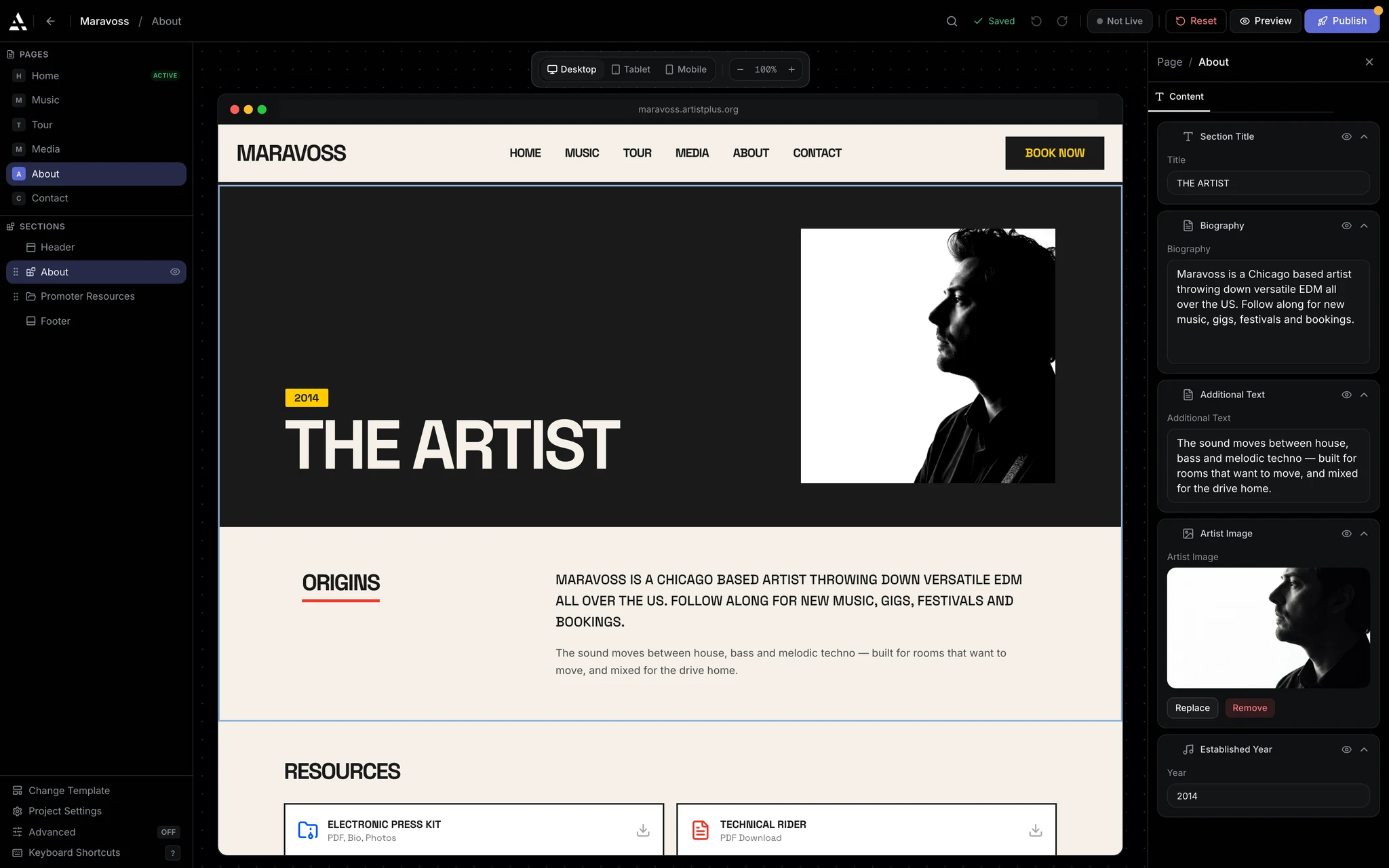
The website editor on an About page: six site pages listed on the left, the page live on the canvas, and its biography open in the edit panel.

Templates that hold up on a phone

Every template is designed for music and looks right on the screen your fans actually use. Palettes and font pairings are part of the system, so changing the mood of your whole site is one decision.

  • Curated palettes applied across every page at once
  • Font pairings chosen to work together, self-hosted for speed
  • Every template tested on phones before it ships
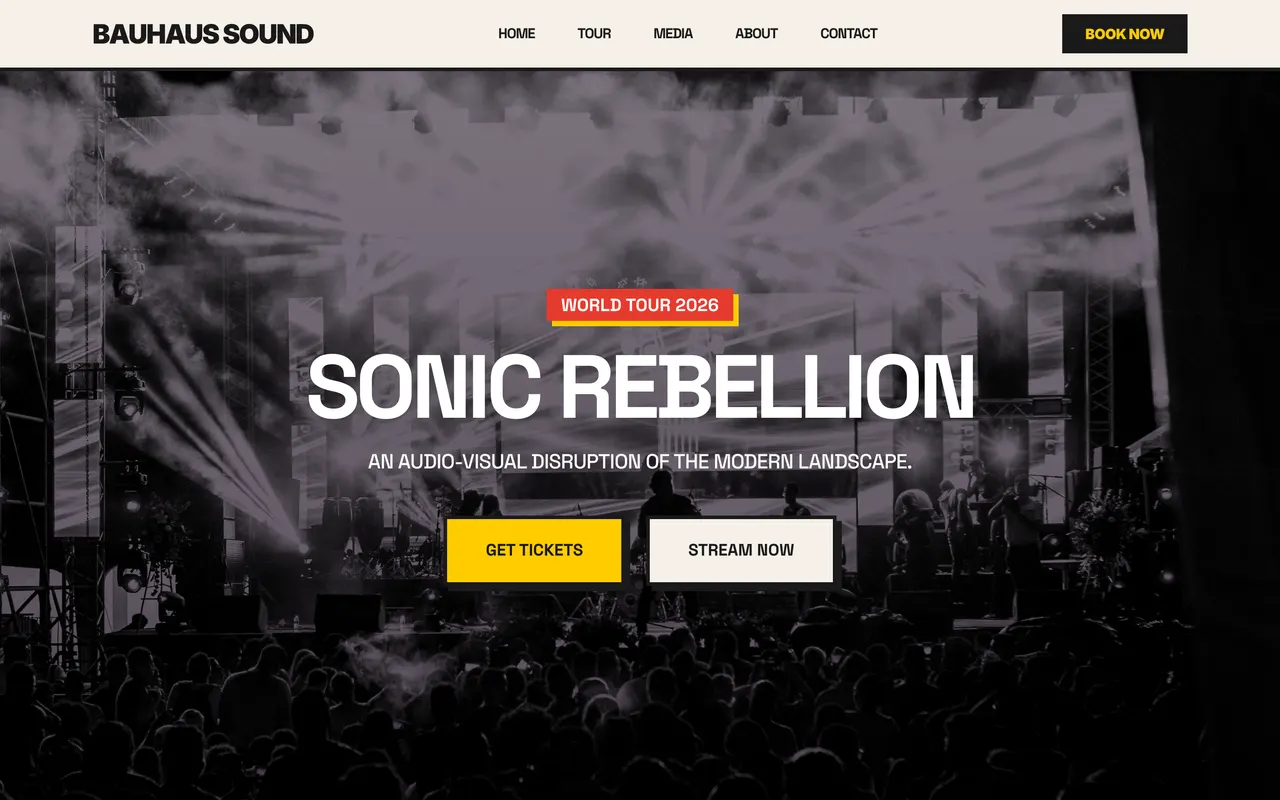
bauhaus template
The Bauhaus template homepage: a high-contrast live photo with a world tour badge and ticket buttons.

Draft in private, publish when ready

Your edits live in a draft your visitors never see. One publish puts the whole site live at once, so a half-finished page can't leak. You are live on a free Artistplus address immediately, your own domain when you connect it.

  • Site-wide publish, so every page updates together
  • A free subdomain from day one, your own domain when you want it
  • SEO tags, share cards, and a favicon generated for every page
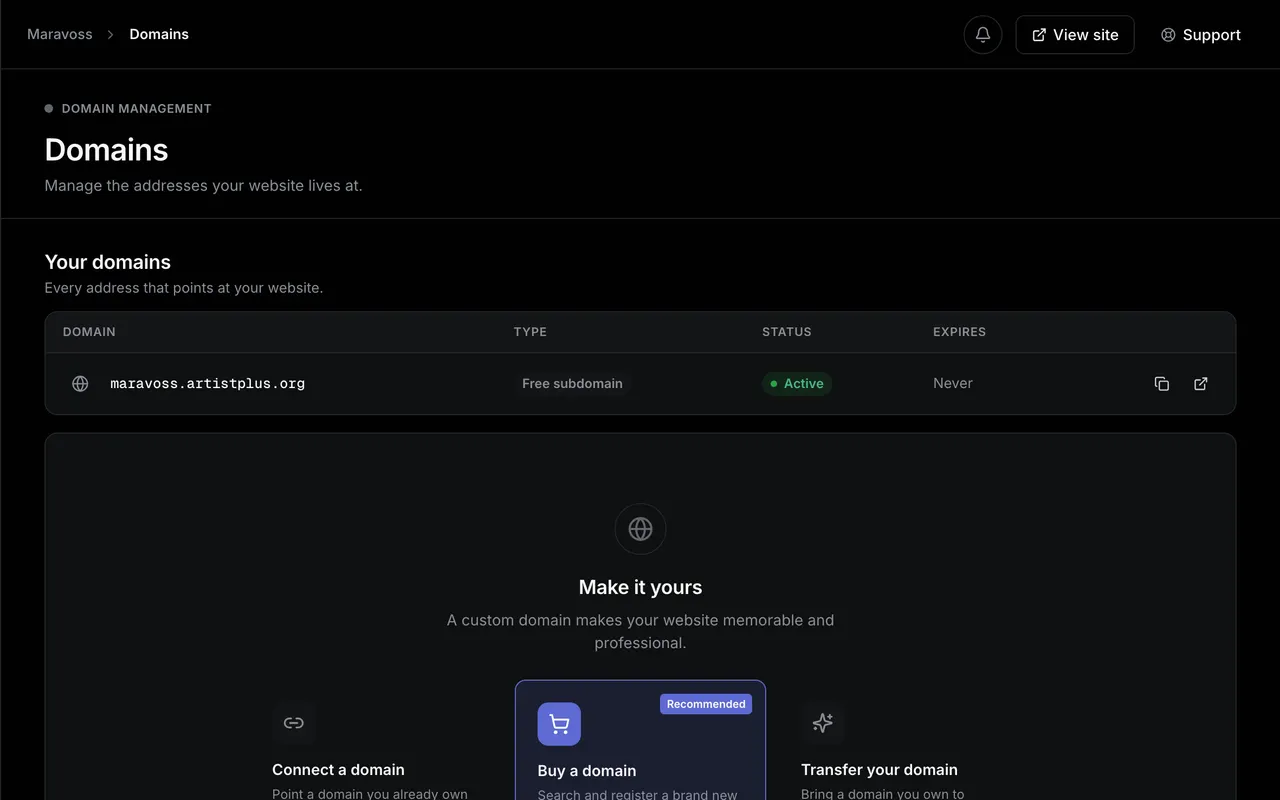
/domains
The Domains page: the artist's free Artistplus subdomain listed as active, with a panel below it to connect, buy or transfer a custom domain.
/builder
The website editor on an About page: six site pages listed on the left, the page live on the canvas, and its biography open in the edit panel.
bauhaus template
The Bauhaus template homepage: a high-contrast live photo with a world tour badge and ticket buttons.
/domains
The Domains page: the artist's free Artistplus subdomain listed as active, with a panel below it to connect, buy or transfer a custom domain.

Fair question

Already have a link page?

You do not need both. Replace the link page with a home for your whole career.

I already have a Linktree

A link page is a hallway. It points people somewhere else and keeps none of them. Artistplus is the destination: your music, dates, photos, and booking form on a domain you own, with analytics that belong to you.

Artistplus compared with Linktree

I was going to use Squarespace

It is a fine builder, and nothing in it knows what a release is. You would be modelling your discography and your tour dates yourself, then keeping both accurate every time they change.

Artistplus compared with Squarespace

FAQ

Website builder questions, answered

Do I need to know how to code?

No. Your site is assembled from the accounts you connect, and every edit happens in a visual editor with live preview.

How does Artistplus build my site from a link?

Spotify or SoundCloud brings your releases, artwork, and bio; Instagram adds photos. The importer lays it into real pages, and you edit the draft first. Nothing publishes without you.

How many pages do I get?

The free plan is a real one-page website on a free Artistplus address. Paid plans remove the page limit, so you can run separate pages for music, tour dates, media, and contact.

Can I use my own domain?

Yes, on any paid plan. Connect one you own or buy one in the dashboard. DNS and SSL are handled either way, with matching email addresses available.

What happens to my site if I stop paying?

Your content is never deleted. Your homepage stays live on your free Artistplus address, and the extra pages pause until you upgrade again.

Your site already exists. Come look at it.

Connect your accounts and see your own website in minutes. Keep it forever on the free plan.