

Invoicing
Professional invoices made for music work
Create a branded invoice in minutes and send it as a tracked link. Built for the way musicians, artists, and DJs actually bill.
How it works
One invoice, three moves
Line items that speak the industry's language
Generic tools bill in widgets and hours. Music bills in sets, sessions, and deposits, and the gig itself prints on the invoice.
- Performance
- Session
- Production
- Travel
- Deposit
Send it as a link, watch it move
A PDF attachment tells you nothing. An Artistplus invoice goes out as a link, so its status updates the moment it is opened.
- Draft
- Sent
- Viewed
- Paid
It lives where your work lives
The venue is already in your contacts. The show is already on your tour page. The invoice sits beside both.
- Contacts
- Tour dates
- Vault
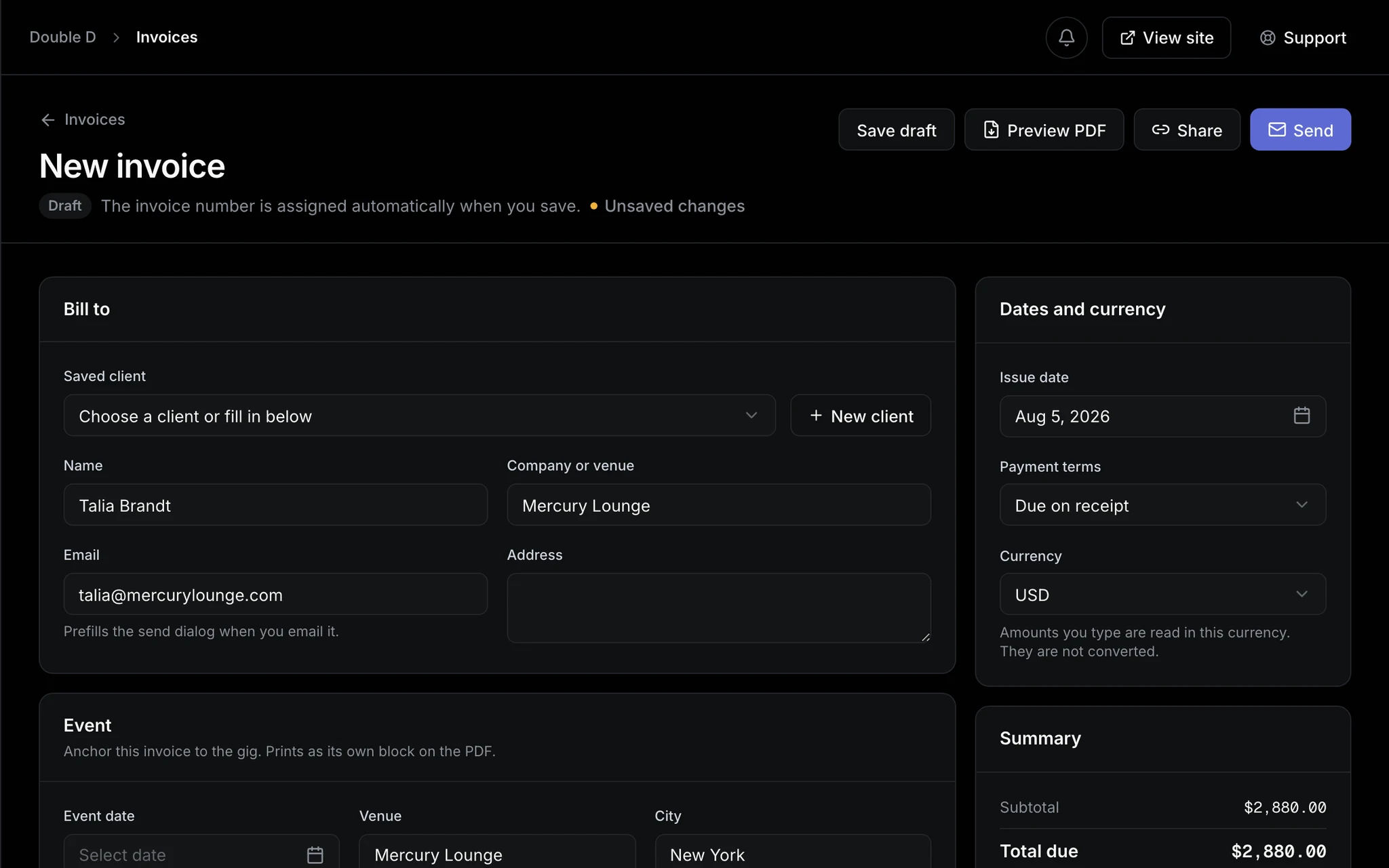
One screen. The client came from your contact book, the gig from your tour page.
Explore the VaultSee where the gig comes fromMade for
Whoever is on the invoice line
Three kinds of music work, one way to bill it.
DJs
Venues, promoters, and agencies for sets and residencies, with the event details on the paper and the deposit up front.
- Performance fee
- Booking deposit
- Travel
Session musicians
Studios and producers for sessions and overdubs, with every client saved in the book instead of retyped.
- Session work
- Mixing / mastering
- Overtime
Artists and bands
Shows, features, and sync work, straight from the tour date you already added, with your branding on every page.
- Performance fee
- Licensing / sync
- Backline / gear
FAQ
Invoicing questions, answered
Does invoicing cost extra?
No, it is part of every plan. Free covers 3 invoices a month; paid plans remove the cap and add music line-item presets, gig details, and deposit-plus-balance pairing.
Can I add my logo and tax details?
Yes. Your business profile carries your logo, address, and tax id, and every invoice can apply a tax rate under your country’s label, like VAT or GST.
How do clients pay me?
The way they already pay you. Each invoice carries your own payment instructions, whether that is a bank transfer, PayPal, or cash at the venue.
Can I edit an invoice after sending it?
Drafts stay editable. A sent invoice is locked, because a client’s copy should never quietly change. Void it and issue a corrected one instead.
Does it work internationally?
Yes. Invoices can be issued in any currency, and the tax line takes whatever label your jurisdiction expects.
Invoice the gig before you leave the venue
Start free and send your first invoice tonight. Your branding, your numbering, your money.